MOSAIC Application Description
MOSAIC turns the science lab into a place where students don’t just learn science—they get to do it. Designed for small-group learning, MOSAIC brings together students, an AI teacher’s aide, and augmented reality to create a more interactive and personalized science experience. The AI teacher’s aide is trained to “talk like a teacher,” meaning it doesn’t simply deliver answers—it asks questions, listens to students’ ideas, probes their thinking, and provides just the right amount of help to keep the investigation moving. As students work together, MOSAIC learns about what they understand, where they are getting stuck, and what kinds of support will help them move forward. Take a peak:
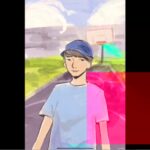
The magic happens when conversation meets exploration. Students discuss scientific ideas with their group, make predictions, ask questions, test their thinking, and get help from the AI teacher’s aide when they need it. MOSAIC then adapts the learning experience to the students in front of it, using augmented reality to make invisible or difficult-to-imagine science visible and interactive. Instead of simply reading about a molecule, ecosystem, force, cell, or chemical reaction, students can see scientific concepts come to life and explore them together. The result is a classroom where students are talking, questioning, experimenting, and building an understanding of science rather than simply waiting for the next answer.
MOSAIC is designed to support teachers, not replace them. While the AI teacher’s aide works alongside each small group, the teacher can move around the room, listen to student thinking, ask deeper questions, and focus on the moments where human teaching matters most. Every student gets a chance to participate, every group has a guide when they need one, and the science becomes something students can investigate together. It’s part lab partner, part teacher, and part science magic—helping students see, question, discuss, and understand the science around them.
Teacher Resources
To make each MOSAIC lesson easy to launch, we provide the materials teachers need to get students from “What are we doing?” to “Whoa, that’s science!” with minimal setup.
Here are the slides for teachers to use:
The teacher presentation provides the roadmap for the lesson, including the learning goals, discussion prompts, activity directions, key science concepts, and suggested moments for whole-class discussion. The slides help teachers introduce the investigation, frame the scientific question, and bring the class back together to connect what students discovered in their small groups. They are designed to keep the lesson moving while giving teachers flexibility to respond to what students are thinking and saying.

Here are the handouts you will need for the lesson:
The student handouts give each group the tools they need to investigate, record observations, make predictions, explain their reasoning, and reflect on what they learned. They are designed to work alongside the MOSAIC experience, giving students a physical place to capture ideas while they explore the science digitally and through augmented reality. The handouts also help teachers see student thinking and provide useful evidence of learning throughout the lesson.
 .
. 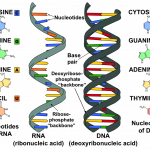
STUDENTS HANDOUT LAB MATS
Together, the MOSAIC application, teacher slides, and student handouts create a complete learning experience: the teacher sets the stage, students investigate together, the AI teacher’s aide keeps the conversation moving, and augmented reality makes the science visible. MOSAIC doesn’t make science easier by giving students the answers—it makes science more exciting by giving them better questions, better tools, and a reason to figure it out together.
PRE TEST
POST TEST
Consent Form For Parents
Assent Form for Students

PEN & PAPER LESSON